Note
Click here to download the full example code
Create a spectrum using Shkuratov model
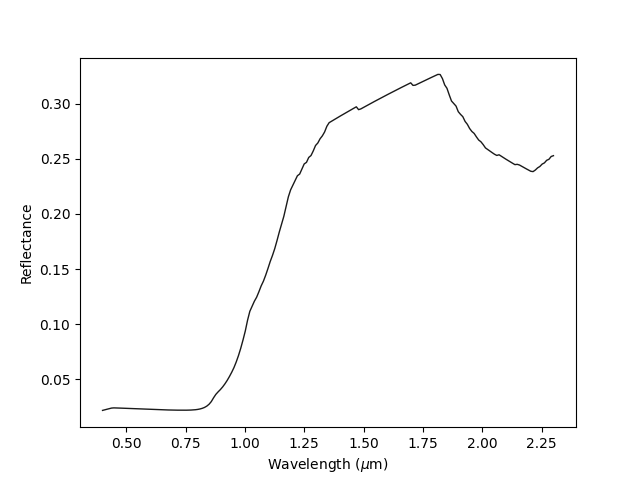
Out:
Spectrum([(0.4, 0.021615960432228576),
          (0.40954773869346733, 0.022179517925831504),
          (0.4190954773869347, 0.022706242784188646),
          (0.428643216080402, 0.02321702023952099),
           ...
          (2.2713567839195976, 0.24869390627445687),
          (2.2809045226130653, 0.2496098623600187),
          (2.2904522613065326, 0.25216625164950623),
          (2.3, 0.2528995379836416)],
          columns=(w, r),
          label="modeled_spec")
Albedo:  0.023040180647694555
import sdoc
from cana.composition import read_constant, Shkuratov
import numpy as np

# First load an spectrum, we will just gonna use one from the SDOC database.
# See more about SDOC at https://https://github.com/depra/sdoc
# Alternatively, you can read your own optical constant using:
# oc = cana.read_constant('path to your optical constant file')

# First initialize SDOC
sdb = sdoc.SDOC(mode='r')

# To see what is inside the database: sdb.contents
# Here we will just show an example for a titan tholin
oc_label, oc_data = sdb.get_constant('T_0')

oc = read_constant(oc_data, label=oc_label)

# Initializing the model
shkuratov = Shkuratov(sample=oc, grainsize=30, porosity=0.5)

# Build the wavelentgh axis
w = np.linspace(0.4, 2.3, 200)

spec, albedo = shkuratov.build_spec(wavelengths=w)
# Plot the optical constant
spec.plot()

# Print the spectrum and albedo
print(spec)
print('Albedo: ', albedo)
Total running time of the script: ( 0 minutes 1.140 seconds)