Note
Click here to download the full example code
Read an optical constant
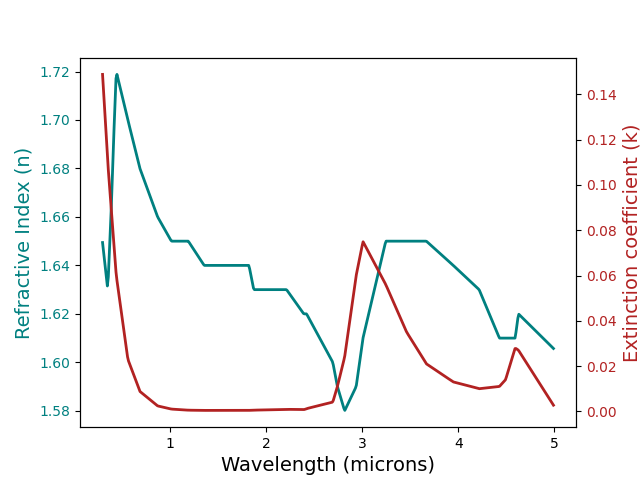
Out:
OpticalConstant([(0.3, 1.64943, 0.14885),
                 (0.31, 1.64584, 0.14169),
                 (0.32, 1.64226, 0.13452),
                 (0.33, 1.63867, 0.12735),
                  ...
                 (4.96002, 1.6069, 0.00473),
                 (4.97002, 1.60651, 0.00407),
                 (4.98002, 1.60612, 0.0034),
                 (4.99002, 1.60572, 0.00273)],
                 columns=(w, n, k),
                 label="T_0")
import sdoc
from cana.composition import read_constant


# First load an spectrum, we will just gonna use one from the SDOC database.
# See more about SDOC at https://https://github.com/depra/sdoc
# Alternatively, you can read your own optical constant using:
# oc = cana.read_constant('path to your optical constant file')

# First initialize SDOC
sdb = sdoc.SDOC(mode='r')

# To see what is inside the database: sdb.contents
# Here we will just show an example for a ice tholin
oc_label, oc_data = sdb.get_constant('T_0')

oc = read_constant(oc_data, label=oc_label)

print(oc)

# Plot the optical constant
oc.plot()
Total running time of the script: ( 0 minutes 0.232 seconds)